Amateur Radio Node Radios
A practical guide by N7FGP — EchoLink • AllStarLink • Hotspots • RF & Non‑RF Nodes
Why Node Radios?
Node radios are one of the easiest ways to connect a small station into large, worldwide networks like EchoLink, AllStarLink, and DMR. With a single handheld and a compact node, you can reach linked repeaters, talkgroups, and hubs from almost anywhere with an internet connection.
This guide is written for new operators and returning hams who want a clear overview of what node radios are, how the main systems fit together, and what hardware choices make sense for a home shack, RV, or portable setup.
1. What Is a Node Radio?
A node radio is a bridge between RF and the internet. At minimum, it combines:
- An RF radio (handheld, mobile, commercial, or embedded module)
- A controller that handles audio, push‑to‑talk, and the linking protocol
- A network connection such as Ethernet, Wi‑Fi, or cellular data
The node encodes and routes your audio across systems like EchoLink, AllStarLink, or digital voice networks. From the operator’s point of view, you talk on your HT or mobile as usual; the node takes care of getting your signal into the wider network and bringing remote audio back to RF.
2. Core Hardware Types
2.1 Traditional RF Nodes
Traditional RF nodes use standard amateur or commercial radios connected to a controller (often a Raspberry Pi plus a USB audio interface). The controller runs AllStar or EchoLink software and keys the radio as needed. This approach is flexible and repairable, and lets you use everything from a small HT up to a 25–50 W mobile or even a repeater radio.
2.2 Controller‑Based Nodes (AllScan)
AllScan devices are controller/interface nodes that rely on your existing radio for RF. They attach via the radio’s accessory or data port to exchange RX audio, TX audio, PTT, and COS/squelch signals. The AllScan handles AllStar/EchoLink connectivity and audio processing, making it a strong option for simplex, mobile/RV, or repeater‑linking applications where you want to choose the exact radio and antenna system.
2.3 Embedded‑Module and Compact Nodes
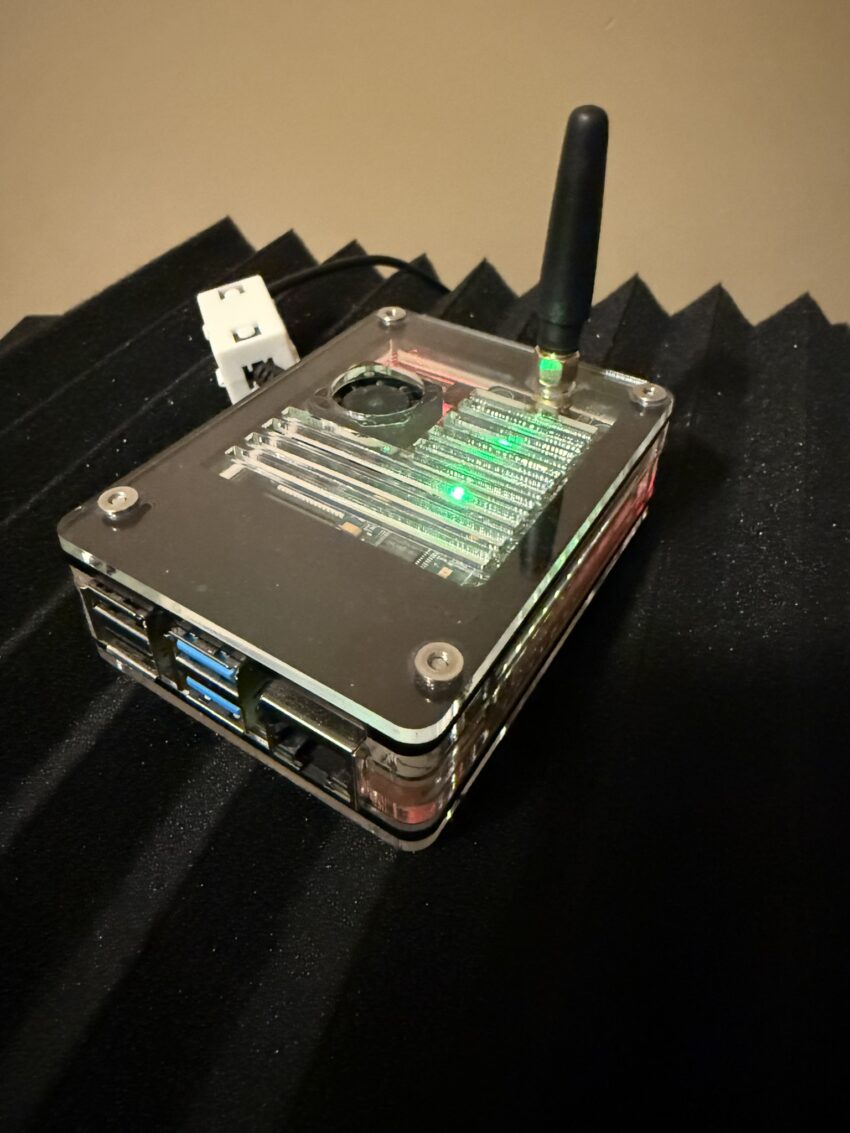
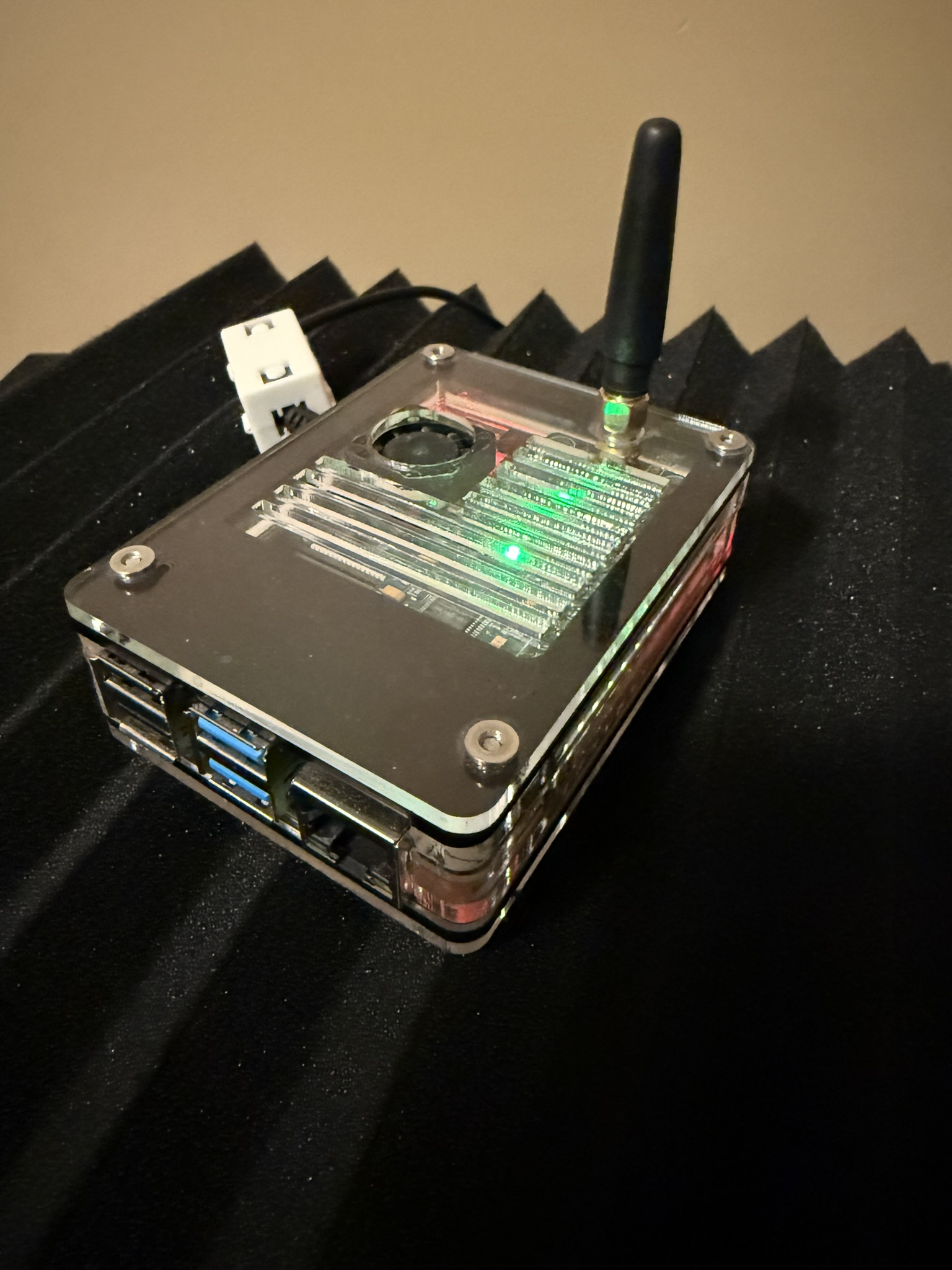
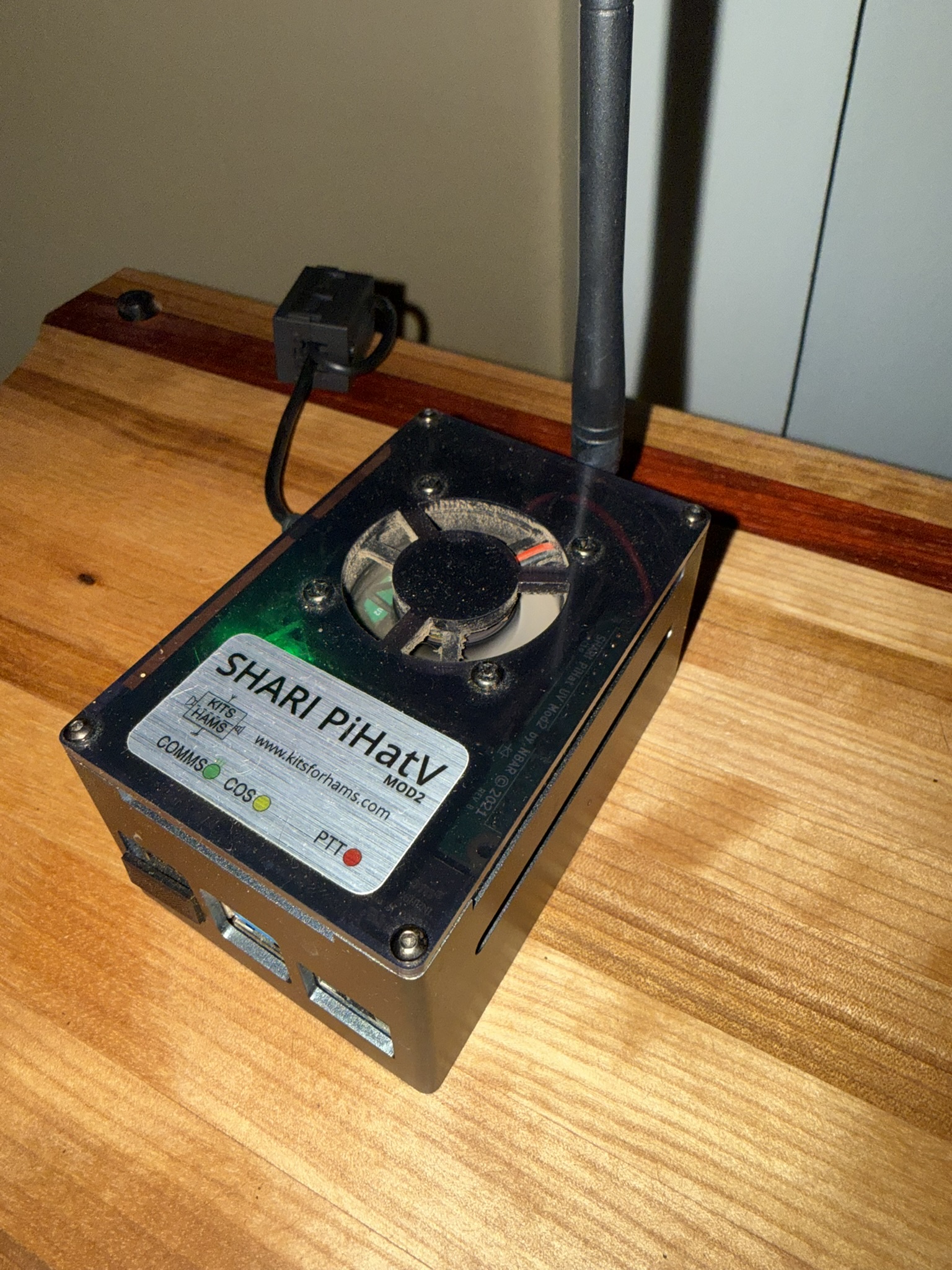
Compact nodes such as SHARI and ClearNode contain embedded low‑power RF modules (often SA818/SA868). These provide FM RF suitable for a home or small‑area simplex node while the controller runs AllStar or EchoLink. They are popular because they arrive largely pre‑assembled and configured, lowering the barrier to entry for new users.
2.4 Digital Hotspots
Digital hotspots, including MMDVM‑based devices and SharkRF OpenSpot units, are very‑low‑power digital voice nodes. They allow you to connect DMR, YSF, P25, NXDN, D‑STAR, or M17‑capable radios to their respective networks even when no local repeater is available. Because they run at only a few milliwatts, they are intended for personal coverage within your shack or vehicle.
2.5 Non‑RF Nodes
Non‑RF nodes operate entirely over IP with no radio attached. Examples include AllStar hub nodes, EchoLink conference servers, DVSwitch servers, FreeDMR servers, and various digital reflectors. These systems act as linking backbones that RF nodes and repeaters connect to, providing conference‑style operation and mode bridging.
3. Major Networks
Several major networks and modes show up again and again when you work with node radios:
- EchoLink — PC and mobile apps plus RF link nodes. Easy to use and widely available.
- AllStarLink — Asterisk‑based system with high‑quality audio and extremely flexible linking.
- IRLP — An early RF‑only linking method still used on many legacy repeaters.
- DMR — Commercial digital voice adapted for ham use, built around talkgroups and time slots.
- YSF / C4FM, P25, NXDN — Other digital modes that often rely on hotspots and cross‑linked reflectors.
- M17 — An open‑source digital voice mode designed specifically for amateur radio.
Quick mental model: AllStar and EchoLink focus on analog FM linking via nodes and repeaters, while DMR/YSF/P25/NXDN/D‑STAR/M17 focus on digital voice networks accessed via repeaters and hotspots.
4. Analog vs Digital Hotspots
The word hotspot gets used in two different ways in amateur radio. Knowing the difference helps you pick the right tool and avoid frustration.
4.1 Analog Hotspots
Analog hotspots are FM nodes used with AllStar, EchoLink, and IRLP. They consist of an analog radio plus a controller and can run from a few hundred milliwatts up to several watts, depending on the radio. They may be simplex or full duplex, and can provide coverage ranging from a single house to several miles.
4.2 Digital Hotspots
Digital hotspots are designed for modes like DMR, YSF, P25, NXDN, D‑STAR, and M17. They run at milliwatt power levels and are meant for personal coverage. Their primary job is to connect your digital radio to talkgroups and reflectors, and many units also offer cross‑mode bridging between networks.
4.3 Key Differences
| Aspect | Analog Hotspot | Digital Hotspot |
|---|---|---|
| RF Mode | FM | Digital (DMR/YSF/P25/NXDN/D‑STAR/M17) |
| Primary Networks | AllStar, EchoLink, IRLP | BrandMeister, TGIF, YSF, P25, NXDN, reflectors |
| Power Level | Hundreds of mW up to several watts | Just a few mW (room to house coverage) |
| Typical Use | Linking FM radios/repeaters | Talkgroup and reflector access |
5. Real‑World Setup Examples
- Home simplex node: SHARI or AllScan plus an HT, covering your house and yard while linking to AllStar or EchoLink hubs.
- Mobile/RV node: ClearNode with a mobile radio and LTE router or Starlink Mini, giving you a traveling gateway into your favorite nets.
- Repeater linking node: Commercial mobile or repeater radio and controller tying a local machine into AllStar or EchoLink.
- Digital hotspot station: MMDVM or OpenSpot device providing personal DMR/YSF/P25/NXDN/D‑STAR access at very low RF power.
6. Getting Started
- Choose a network: AllStar/EchoLink for analog linking, or DMR/YSF/P25/NXDN/D‑STAR/M17 for digital voice.
- Select hardware: controller‑plus‑radio, a compact node, or a digital hotspot that fits your station and budget.
- Obtain IDs: AllStar node number, EchoLink validation, and a DMR ID if you plan to use digital voice networks.
- Configure the basics: audio levels, COS/CTCSS, and network settings. Start with default configs when possible.
- Test with parrot/echo services: verify that audio levels and timing are good before joining busy systems.
- Join nets and refine: once things work, join your favorite nets, take notes, and slowly tweak settings as needed.
7. Troubleshooting & Best Practices
Most node problems fall into a few predictable categories:
- Audio issues: overdriven TX audio or low RX audio making you hard to copy.
- Network problems: unstable Wi‑Fi, high jitter, or weak cellular signals causing dropouts.
- Signaling mistakes: wrong CTCSS, incorrect COS polarity, or mis‑wired accessory cables.
- Digital BER problems: poor antenna placement or incorrect modem levels on digital hotspots.
- RF desense: antennas placed too close to node hardware and feedlines, especially at higher power.
Tip: Change one thing at a time and use echo/parrot tests to confirm improvements. Small, incremental adjustments are better than big jumps you cannot easily reverse.
8. Wrap‑Up and Next Steps
Node radios and hotspots dramatically expand what even a small station can do. Whether you are operating from home or on the road, these devices open access to a huge ecosystem of linked systems and digital voice networks. Start with a single node or hotspot, learn how that environment behaves, and build from there.
As you gain experience, you may choose to host a hub, support a club repeater, or experiment with cross‑mode links. The key is to keep things fun, take good notes, and treat each new feature as a small experiment in your station’s evolution.